RU
  • for hotels and hotels

Connect Fidelio and amoCRM to manage bookings

Applications and bookings are lost between the system and CRM? Combine work with bookings and clients in one system

Install in amoCRM

Interface for integration with the medical system

How the integration works

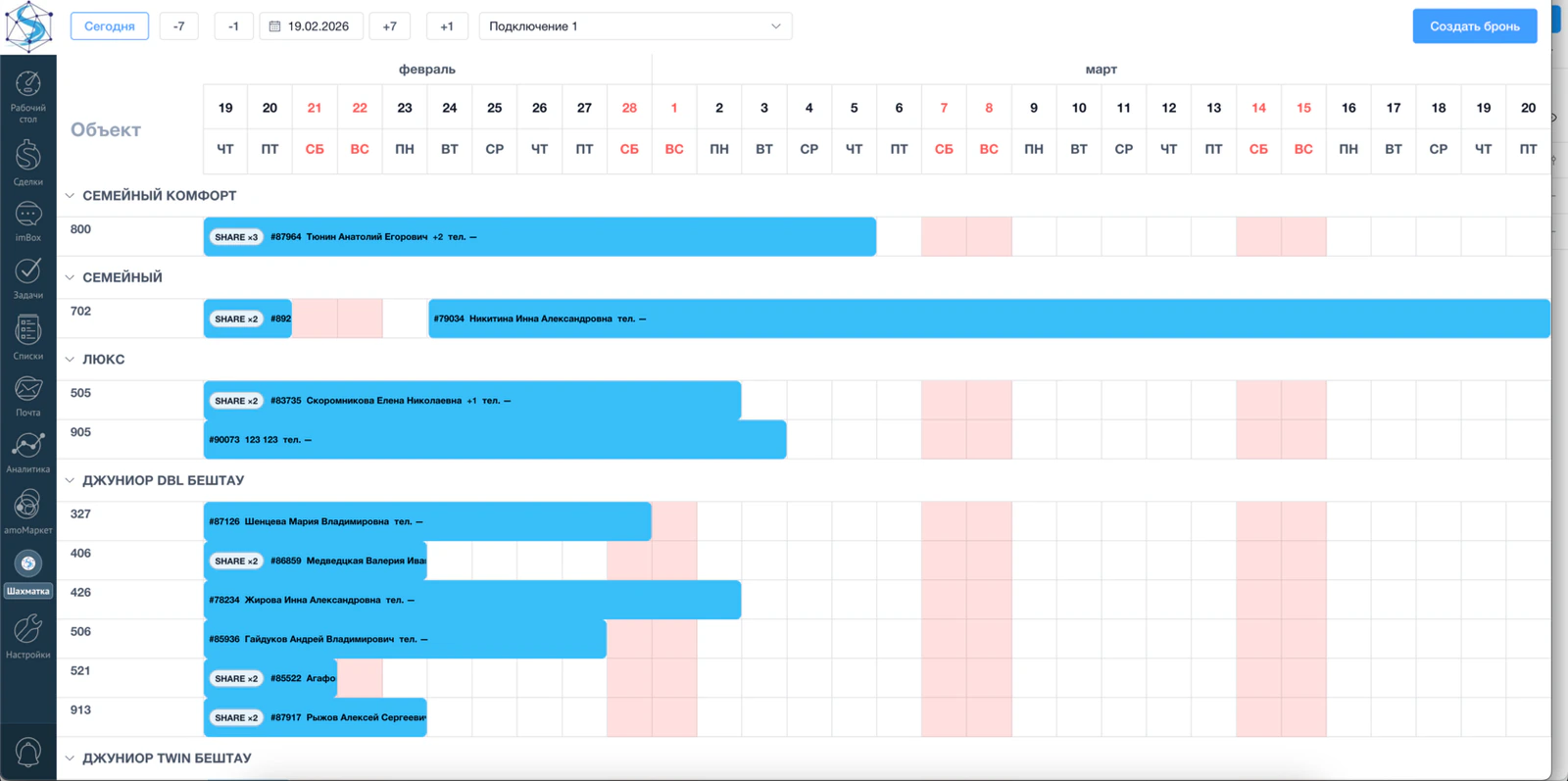
Chess with all reservations

A visual checkerboard with the entire hotel load directly in amoCRM. Entries, exits, intersections and free windows are visible for each room or category

Working with checkerboard armor

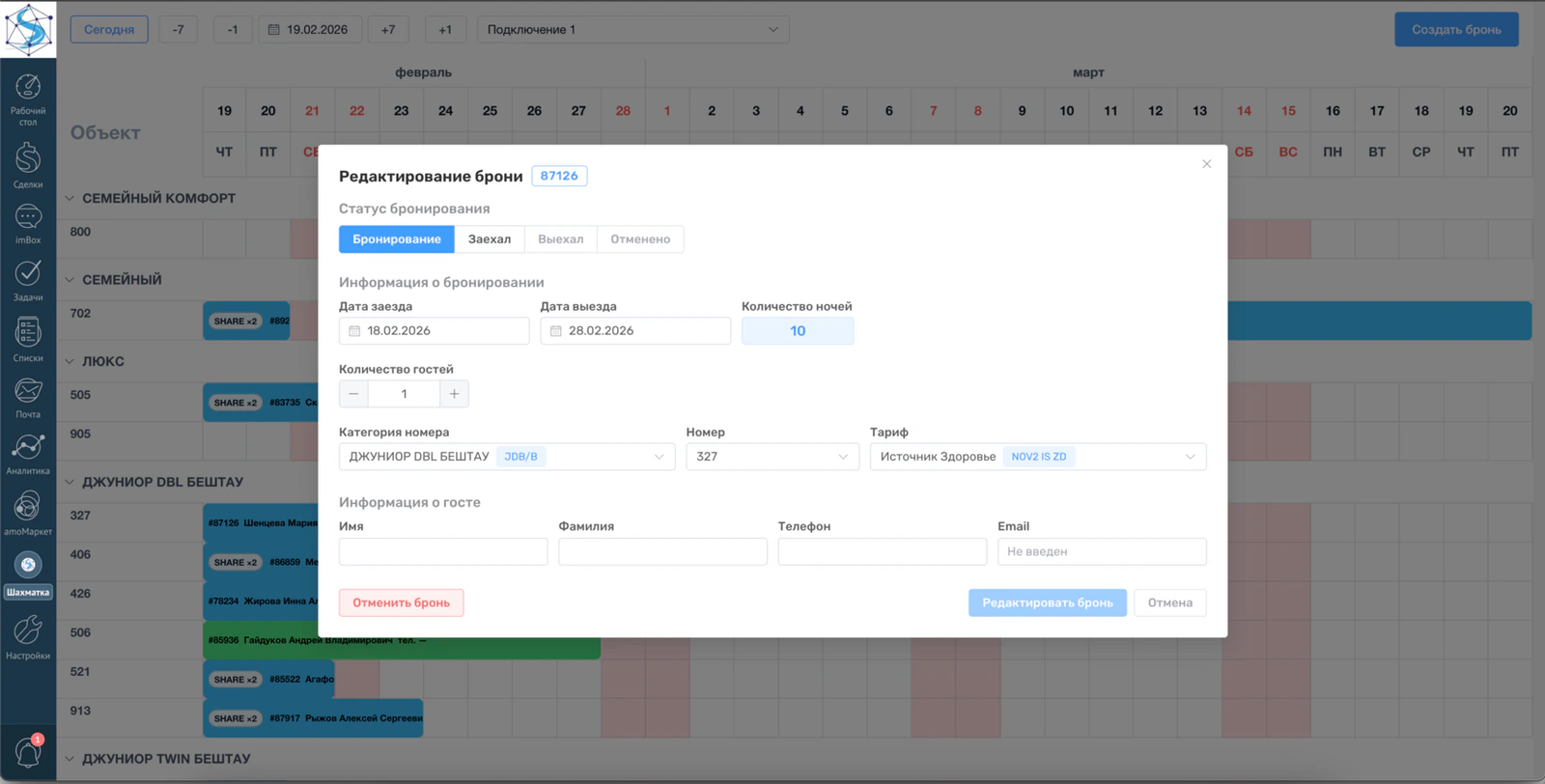
Open the booking card directly from the checkerboard. Quickly view details, change dates of stay and statuses without going to PMS

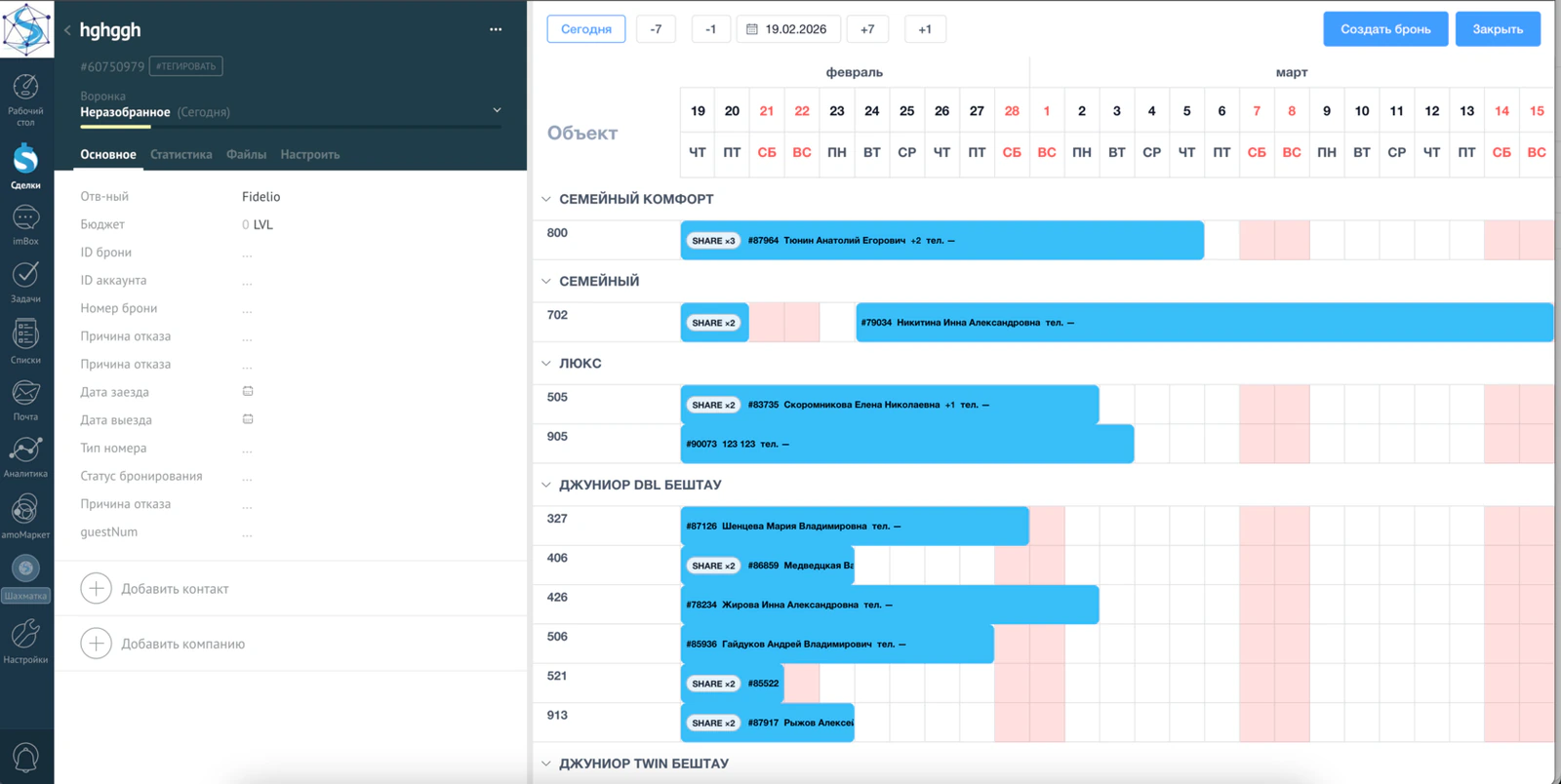
Editing and creating from a deal

Create new bookings and edit existing ones directly from the amoCRM deal. All data is automatically synchronized with Fidelio

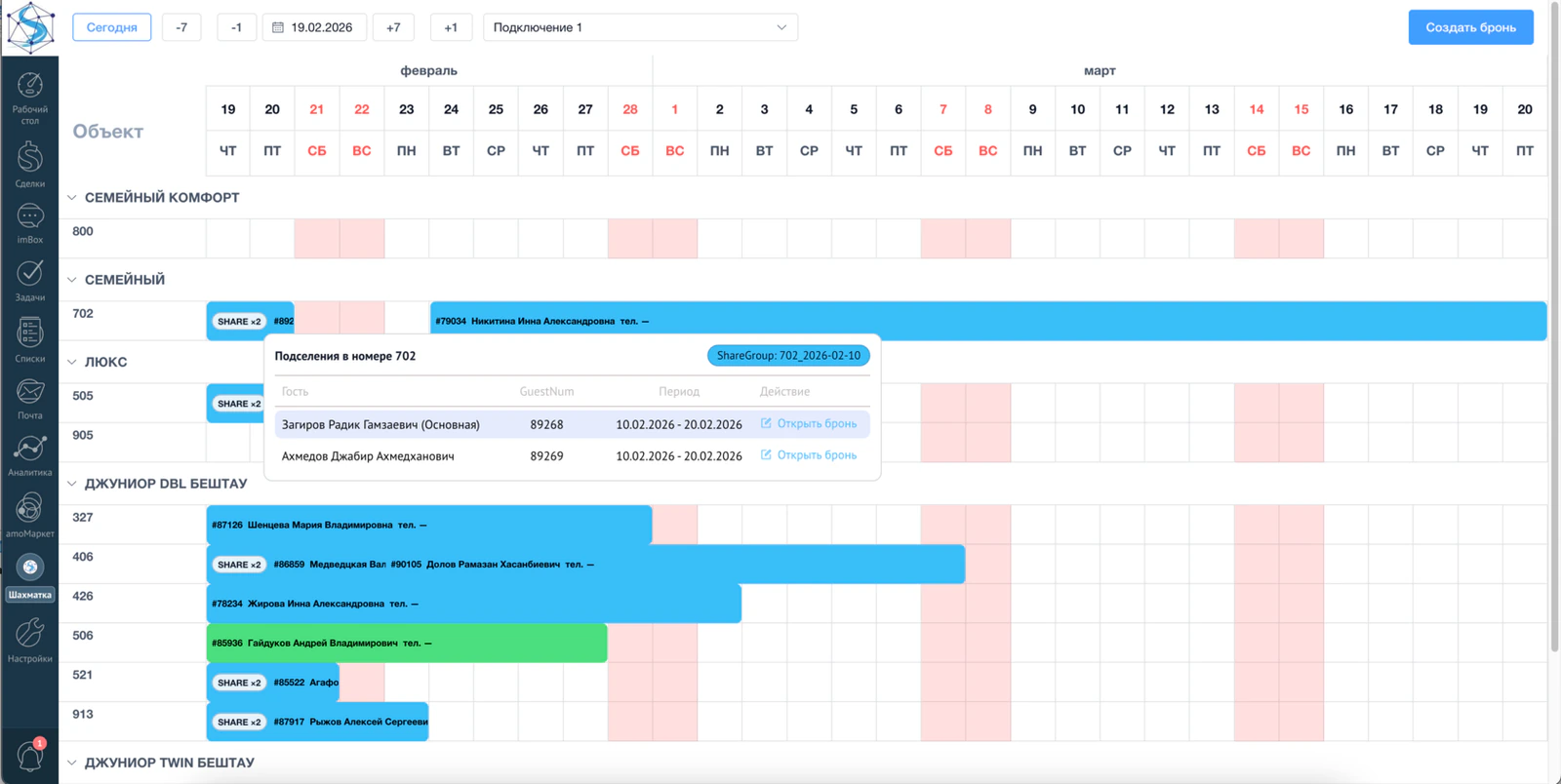
Working with subdivisions (Share)

Support for subshares and related reservations (share). Correct work with shared rooms, guests and periods of stay

Flexible automation settings
Manage bookings and sales without leaving amoCRM

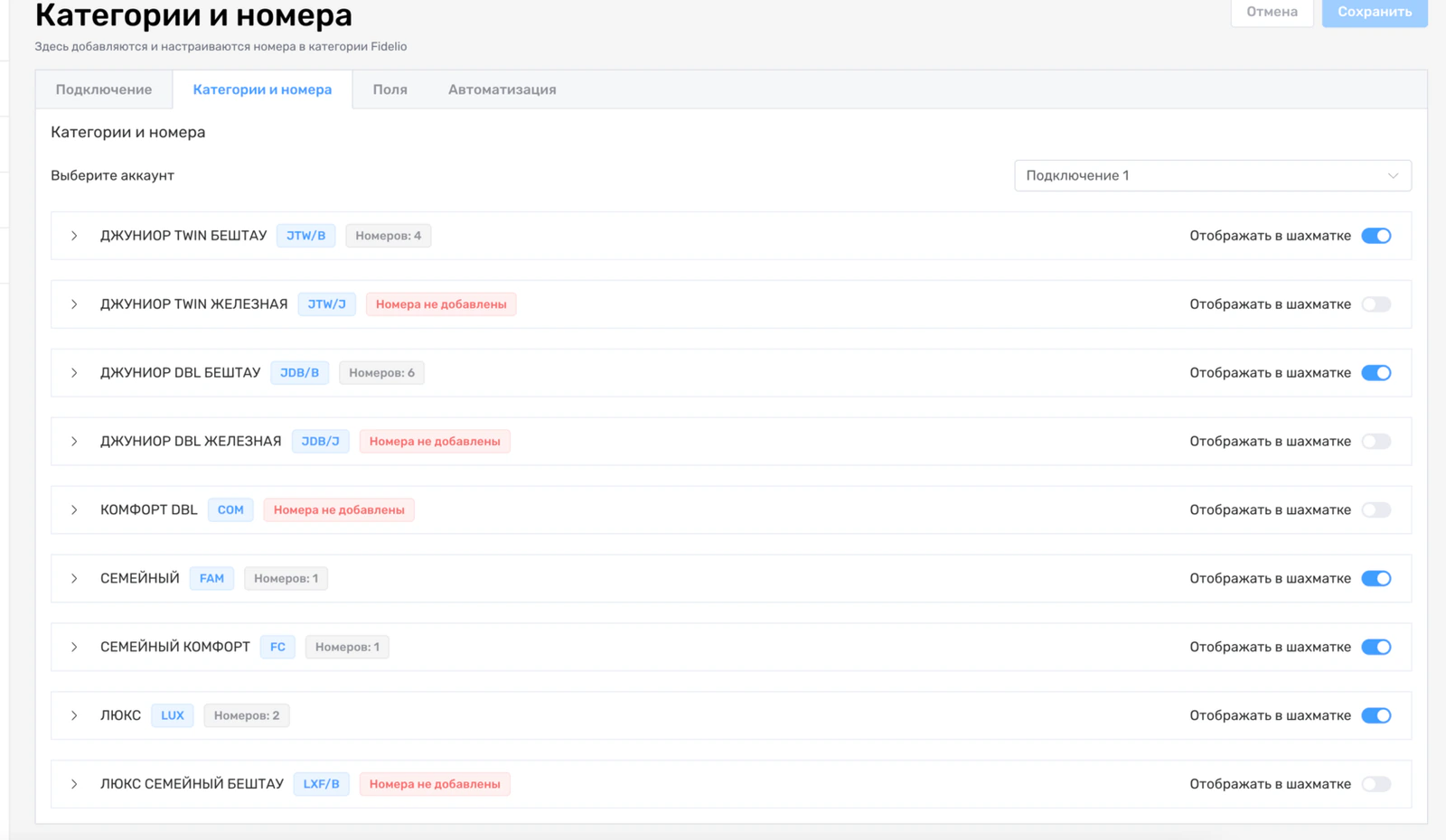
Connect any number of accounts

Supports connecting any number of Fidelio Suite 8 accounts

Conveniently set up matches

Quickly and conveniently configure the correspondence of fields between Fidelio Suite 8 and amoCRM in which data will be recorded

Setting up automation

Enable or disable reverse synchronization of data from Fidelio, and also select which statuses to move deals to for which events

Setting up Fidelio integration automation

Pricing plans

Current widget tariffs

Loading current plans…

Loading prices from services.myrubikon.tech

Find out how to use this solution as efficiently as possible

Frequently asked questions

Everything about the widget: when to use it, how to configure it, and what are the nuances?

What does the integration of Fidelio and amoCRM give?

Integration allows you to combine work with bookings and clients in one system. Applications are recorded in CRM, and booking data is synchronized with Fidelio

How do requests get into amoCRM?

All customer requests (calls, requests, forms) automatically go into amoCRM. You can guide the client from the first contact to check-in in one system

Is booking data transferred from Fidelio to CRM?

Yes, information about reservations, check-in, check-out dates and statuses is synchronized with amoCRM. You always see current data on the client and his reservation

Is it possible to manage bookings from amoCRM?

Yes, you can create and edit bookings directly from a deal in amoCRM. All changes are automatically transferred to Fidelio

Is data updated automatically between systems?

Yes, the integration supports two-way synchronization. Changes in amoCRM and Fidelio are updated automatically without manual data transfer

Is it possible to control the status of a reservation?

Yes, booking statuses are synchronized with CRM. You always understand at what stage the client is - from application to check-in

Is the widget suitable for a large customer base?

Yes, the widget works with large databases and allows you to massively find and merge duplicates. This is especially useful for companies with a large flow of applications

How does integration help increase hotel occupancy?

CRM allows you not to lose applications, control communications and work with repeat sales. You can return customers and increase room occupancy

Why do you need a CRM if you already have Fidelio?

Fidelio is responsible for bookings and accommodations, and CRM is responsible for working with customers, sales and returns. Together, the systems allow you to manage the entire client cycle - from the first contact to the return visit.

Send an enquiry — we will carry out a free audit and show you which package suits your business