Integration of Sber Acquiring with amoCRM
Issue invoices for online payment from Sber from the deal card or automatically at any stage of the pipeline.
Widget setup
How to set up a widget:
- In the settings section (to the right of "Description") open the "Stores" section
- Fill in the necessary information (“Username” and “Password” are specified with Sber Technical Support. It is “combat” access that is required, NOT test). Save changes
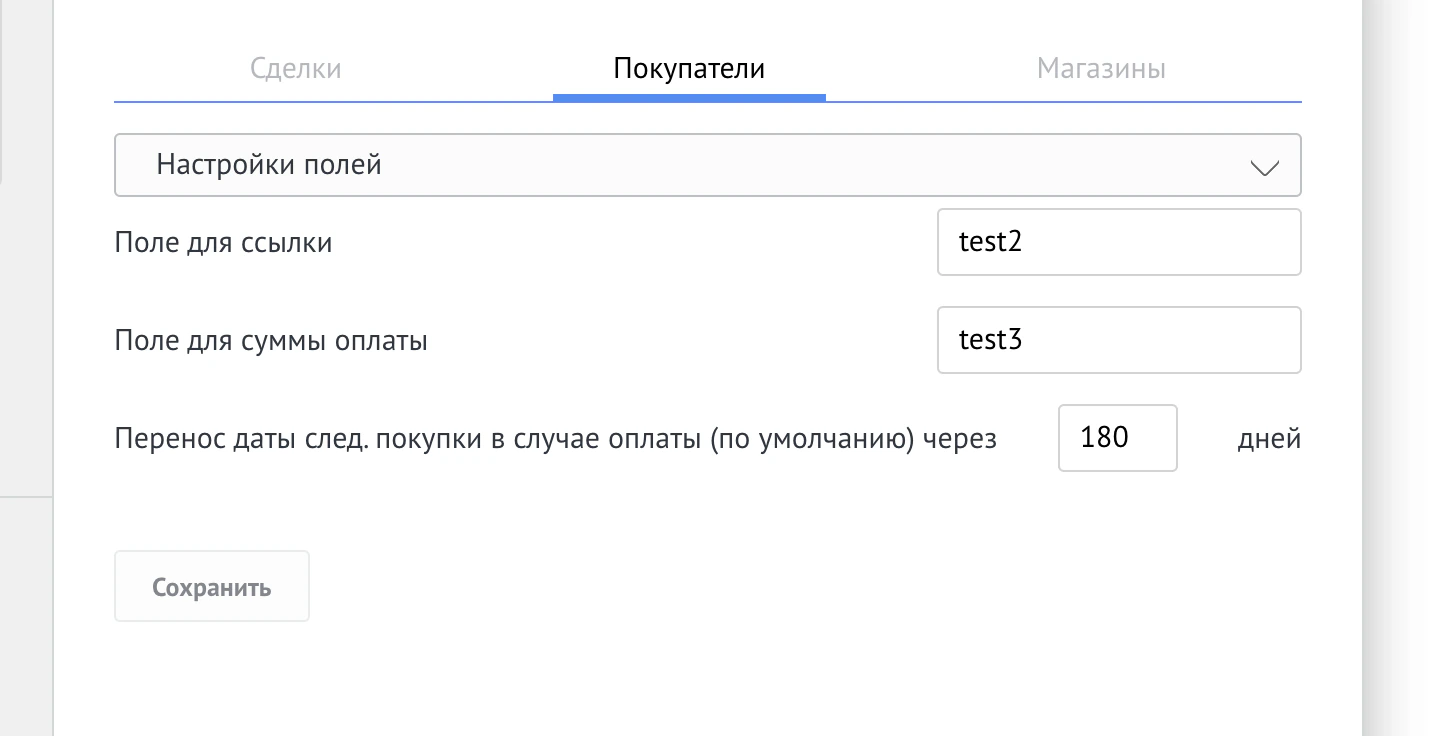
- In the general settings section, specify the field for the payment link, the field for the payment amount and the currency into which the payment will be converted (to work with prepayment, switch the corresponding flag)
- In the "Pipeline Settings" section, indicate which store will be used to work with in the corresponding pipelines and the stages to which the deal will proceed upon payment.
How to use the widget:
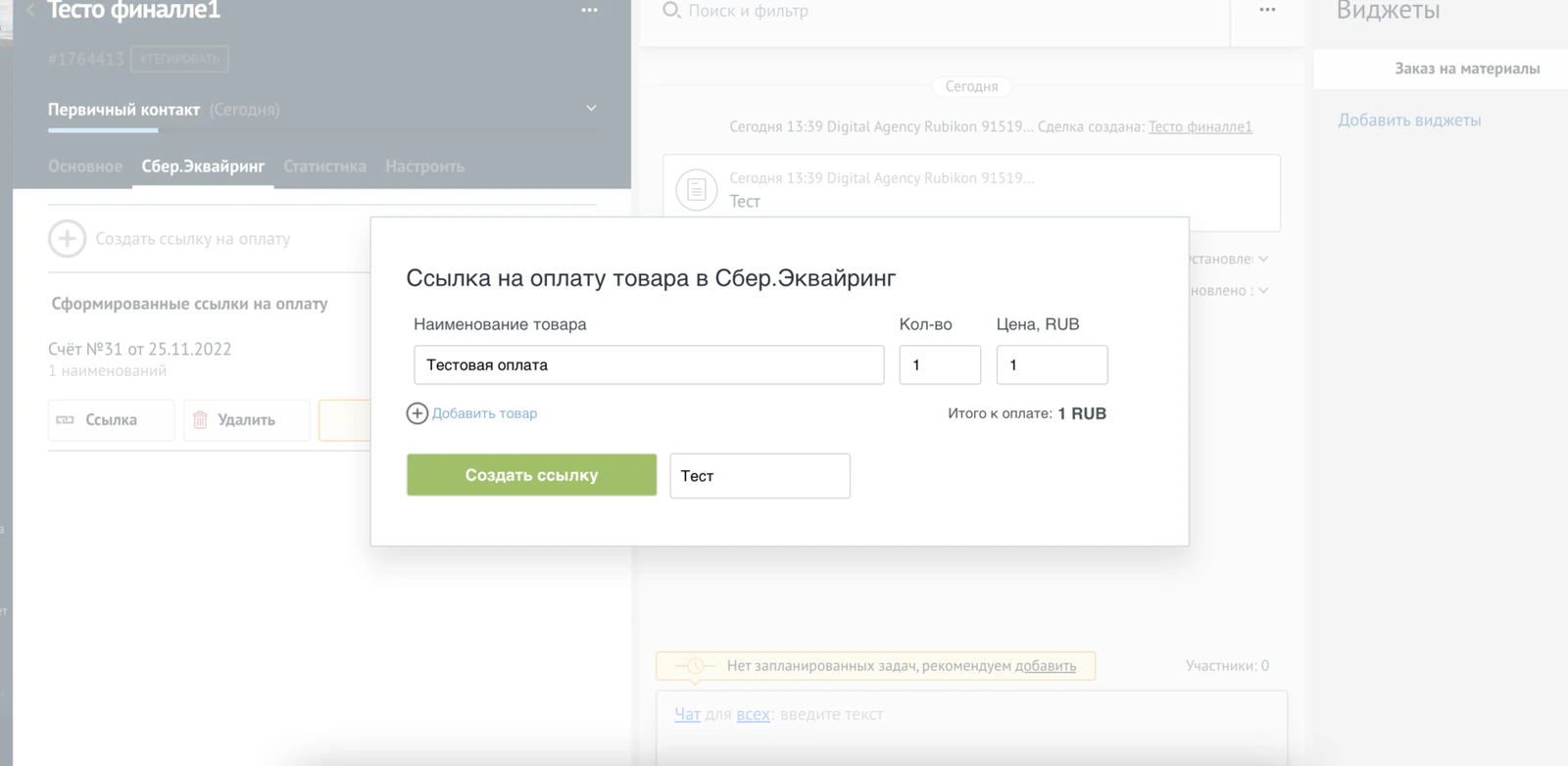
- To create a manual payment link, you need to go from the deal card to the SberAcquiring section and click create a payment link. Indicate the name of the product, quantity, price and from which store it is sold.
- To create a link automatically, you can use a trigger in a digital pipeline with the appropriate settings.
- The payment link will appear in the field that you specified in the widget settings.
Provide payment links from amoCRM
Using the widget you can:
Work with an unlimited number of stores
Set up the logic for working with prepayments and transfer deals to the appropriate statuses
Using a trigger in the Digital pipeline, create a link under any condition
Generate a link to pay directly from amoCRM with the ability to select products from lists
Work with customers is supported
- In the settings you have the opportunity to choose to postpone the next payment date if the payment goes through
- The widget is also capable of working with automatic actions in the Buyers section
Payment report in amoCRM
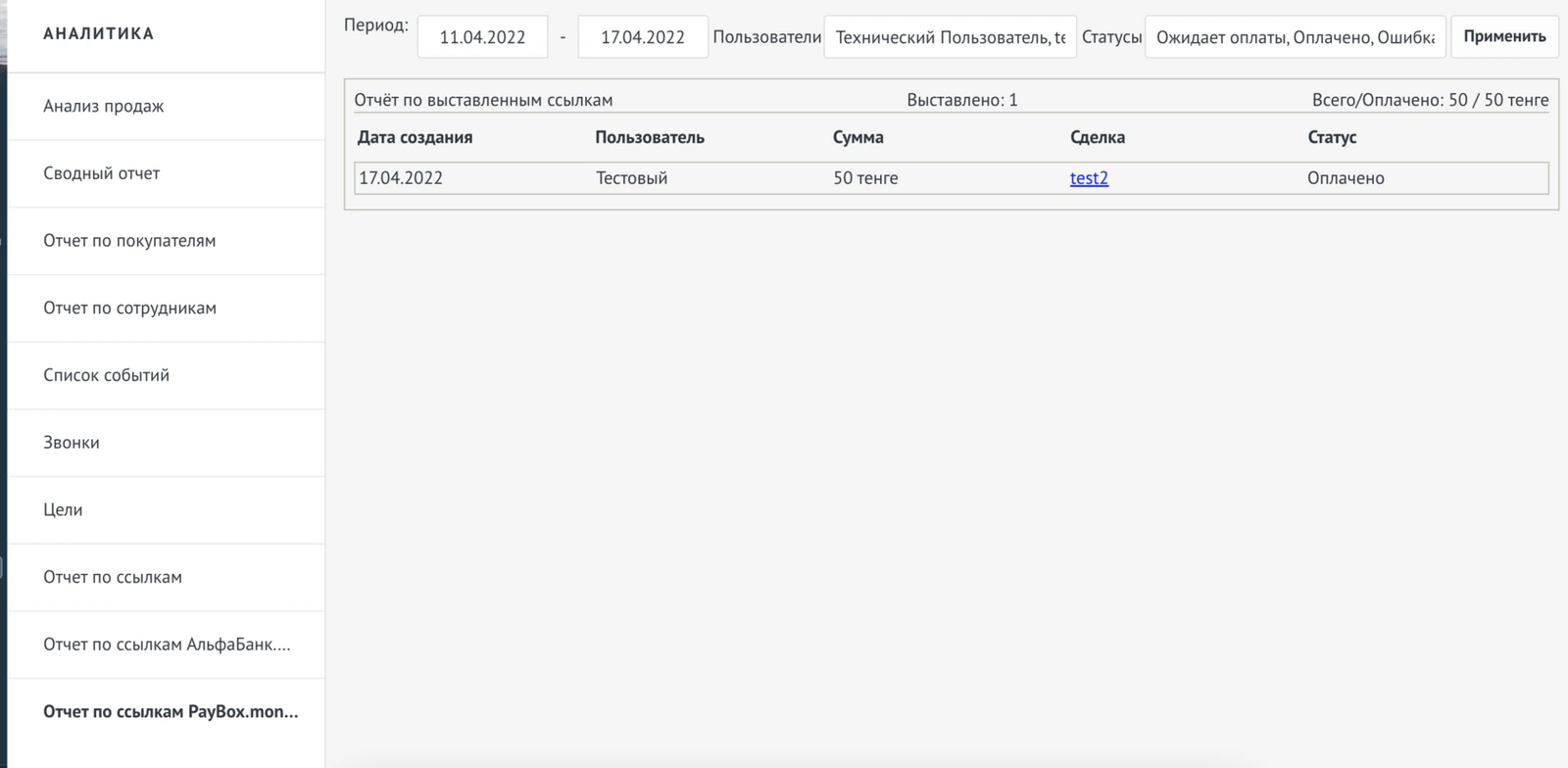
In the Analytics section, a “Report on SberAcquiring links” button is added, with which you can view the results for the exposed links from amoCRM with the ability to filter data
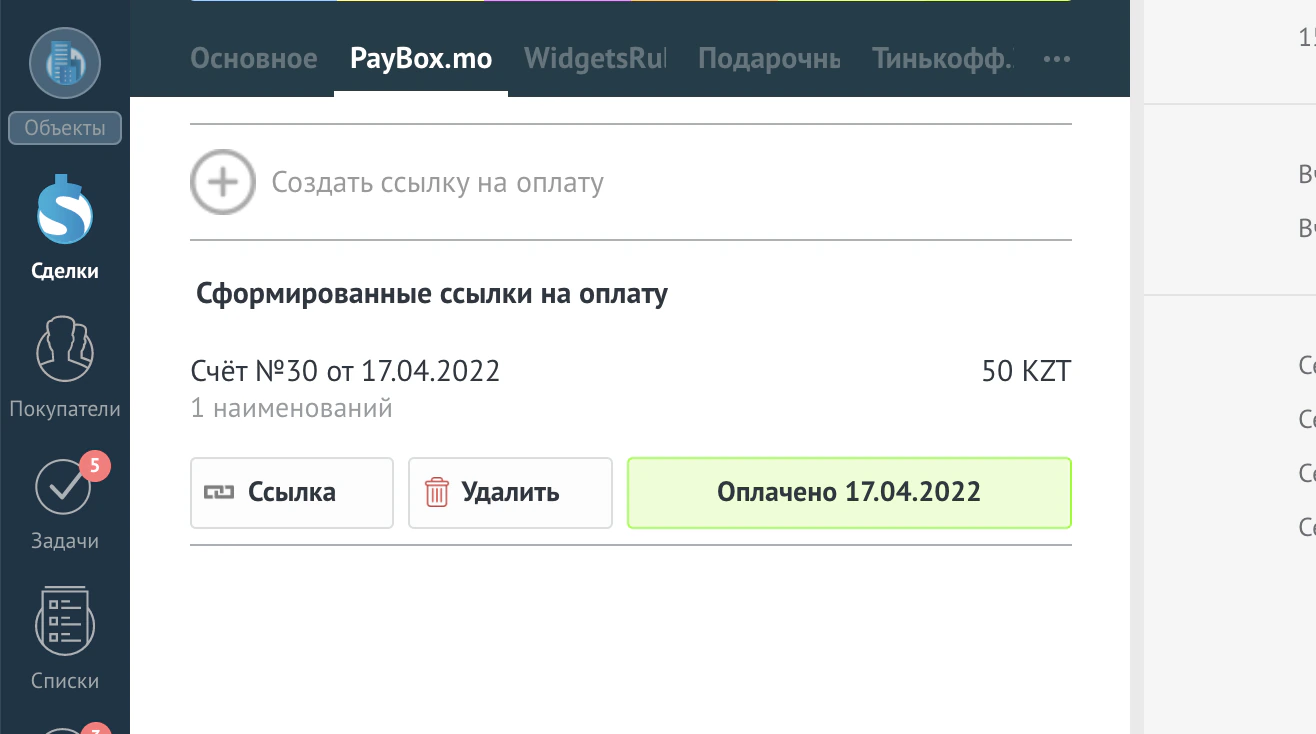
Display of paid payments
After making a payment, the data is automatically transferred to the appropriate fields and the deal is transferred to the required stages
Learn how to use this solution to its full potential

Need development for amoCRM?
If you need functionality that is not available in ready-made solutions, we can develop it