


Yandex Metrica for amoCRM
Transfer sales and transaction amounts to Metrica - evaluate advertising not only by applications, but also by revenue
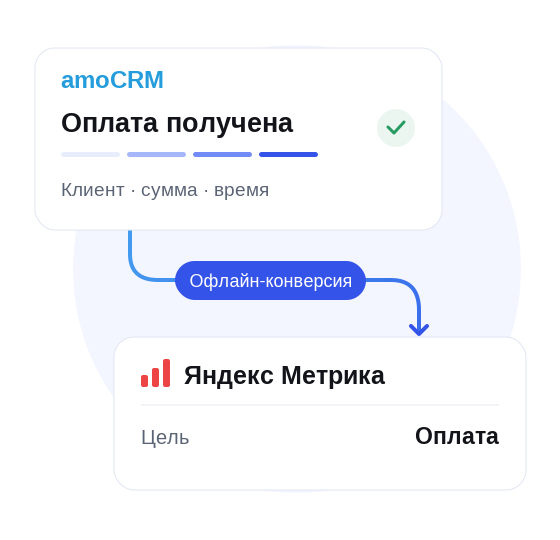
Which advertising generates sales
An application on the website is not yet a sale. Supplement your analytics with results from CRM to see what happens after the call
Not only applications, but also sales
Transfer important stages of the deal to Metrica - from qualified application to payment

Not only quantity, but also revenue
Add deal amount and currency to account for the value of conversions

No manual unloading
The deal has moved to the selected stage - the widget will automatically queue the conversion for sending

How the widget works
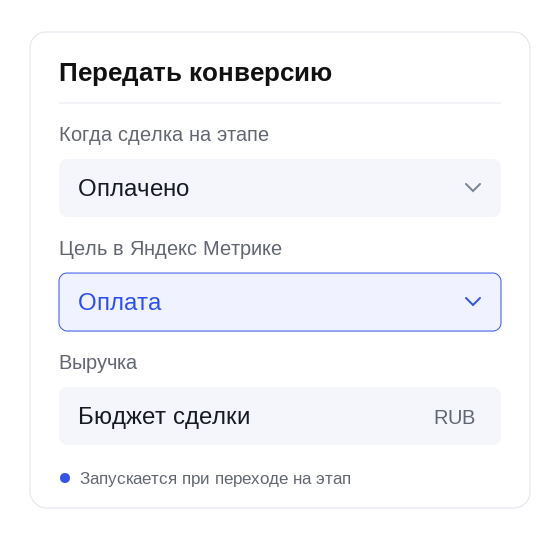
Select deal stage
Add an action to the payment step or other important stage of your pipeline
Link a stage to a goal in Metrica
Specify the counter and target. When a trade is transferred, the widget will send the ID, time of the event and, optionally, the amount
Check the shipment in amoCRM
History will show the status of each conversion. After processing by Yandex, the data will appear in reports
Pricing plans
Loading prices from services.myrubikon.tech
Find out how to use this solution as efficiently as possible
Setup instructions
Frequently asked questions
What is needed for the widget to work?
An active widget licence, access to the Yandex Metrics counter, a “JavaScript event” type goal and an amoCRM field with a visitor or purchase ID. To check, prepare a separate test trade
Does the widget itself collect identifiers on the site?
No, it uses the value from the selected amoCRM field. The site or form must transmit the ID along with the application in advance. If the field is empty, the conversion will not be sent - the reason will be visible in the history
What IDs are supported?
ClientID of the Metrica visitor, UserID of the authorized user, yclid of the click from Yandex Direct and PurchaseId of the purchase. The type in the settings must match the value that is saved in amoCRM
Where can I get the data from?
From a text, numeric, or multiline field of a deal, its primary contact, or directly related company. For the amount, you can use the deal budget or a separate field
Can only paid deals be transferred?
Yes, add an action to the stage that in your pipeline means payment, and select a goal in Metrics. If necessary, limit the launch to standard amoCRM conditions
Is it necessary to transfer the deal amount?
No, the transfer of proceeds is included separately. If it is enabled, the deal budget or the selected field with a non-negative amount is used, and the currency is taken from the general widget settings
How do you know if a conversion has been sent?
In the “Conversion History” tab, you can see the deal, goal, time and status. “Transferred” means that Yandex has accepted the upload for processing. Data in reports may appear later
What happens when there is an error?
Temporary Yandex errors are processed again automatically. If the response cannot be unequivocally verified, the event is assigned a "Requires Verification" status and is not automatically resent. Repeatedly requesting the same event does not create a new task