Track unanswered messages in amoCRM
Find all unanswered chats, control dialogues and respond to customer requests in a timely manner
How many customers do you lose because messages go unanswered?
When chats are scattered throughout the system, messages are lost, and managers do not have time to respond - you lose customers
Messages remain unanswered
Managers miss calls - the client goes to competitors

No control over unanswered chats
You don’t see where the dialogues are stuck and who hasn’t responded

Lost hits = lost money
Every missed message is a lost deal

How the widget works

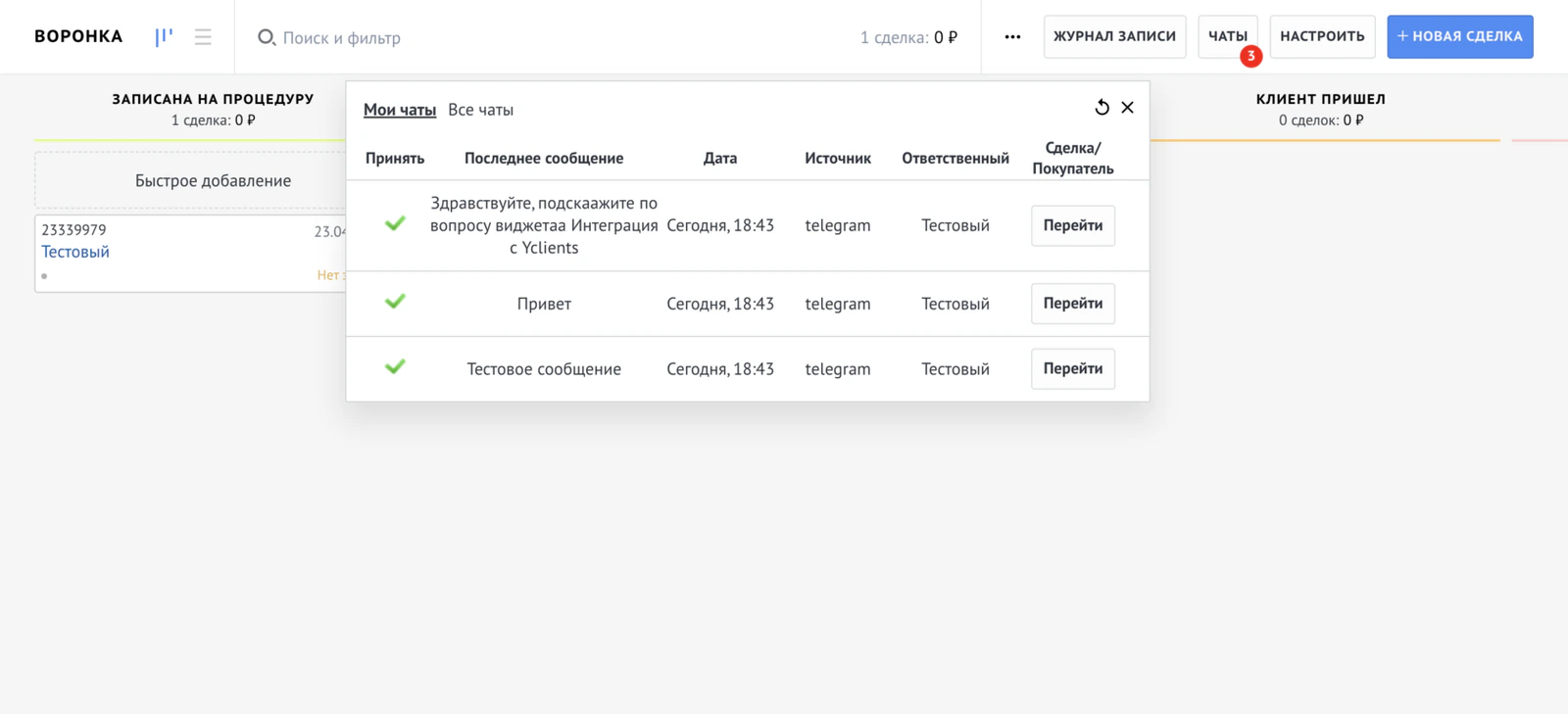
The widget automatically records all chats where the client did not receive a response
You immediately see which dialogues require an answer - nothing is lost
Open a chat and go to a deal in 1 click - close requests without delay
Frequently asked questions
Everything about the widget: when to use it, how to configure it, and what are the nuances?
What does this widget do?
The widget finds all unanswered messages and shows them in one place
What chats are monitored?
All available chats - personal and general, connected to amoCRM
How do you know if a message is unanswered?
The widget automatically records conversations where the client has not received a response
Is it possible to quickly move on to dialogue?
Yes, you can open a chat and go to a deal in one click
Do I need to check chats manually?
No, the widget itself collects all unanswered messages
Is it suitable for a team?
Yes, you see which messages have not been processed and can control the work of managers
Can it be used to control employees?
Yes, you see where managers have not responded to the client and can quickly respond
Is it difficult to connect the widget?
No, the connection takes a couple of minutes - just activate webhooks
How is this useful for business?
You don’t lose customer requests, respond faster and increase deal conversion