RU

Copy deals in amoCRM

Create deals in seconds - copy data, products and fields without manual entry and wasting time

Install in amoCRM Free widget
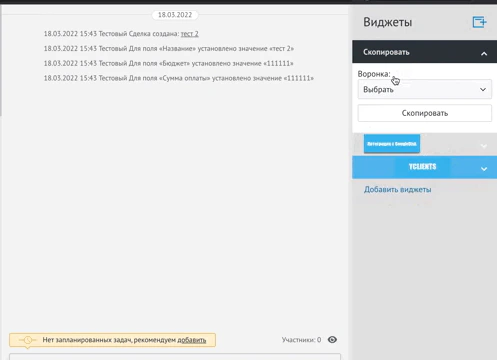
Solution interface in amoCRM

Where time is wasted working with deals

Managers create deals of the same type manually, each time filling out fields, products and data anew. This slows things down and increases the number of errors

Manual creation of identical transactions

Managers waste time filling out the same data over and over again.

Errors when copying data

When transferring manually, it is easy to forget important fields or make inaccuracies

Wasting time on routine

Instead of working with clients, the team is busy with repetitive actions

How the widget works

Open the desired deal

Go to the deal card you want to copy

Select copy options

Click the “Copy” button, select the pipeline and stage for the new deal

Create a copy of the deal

Click “Copy” - the deal will be created automatically with all the necessary data

Frequently asked questions

Everything about the widget: when to use it, how to configure it, and what are the nuances?

What is copied when creating a deal?

Basic deal data is copied: fields, client information and other completed data

Is it possible to choose where to copy a deal?

Yes, you can select the pipeline and stage you want before creating the copy

How long does it take to copy a trade?

Just a few seconds - the deal is created in a couple of clicks

Do I need to fill out the data again?

No, all necessary data is transferred automatically

Is it possible to edit a copied deal?

Yes, after creation you can change any data in the new deal

Is the widget suitable for repeat sales?

Yes, it is especially useful for recurring transactions and typical processes

How is this useful for business?

You speed up the work of managers, reduce the number of errors and get rid of routine operations

Send an enquiry — we will carry out a free audit and show you which package suits your business