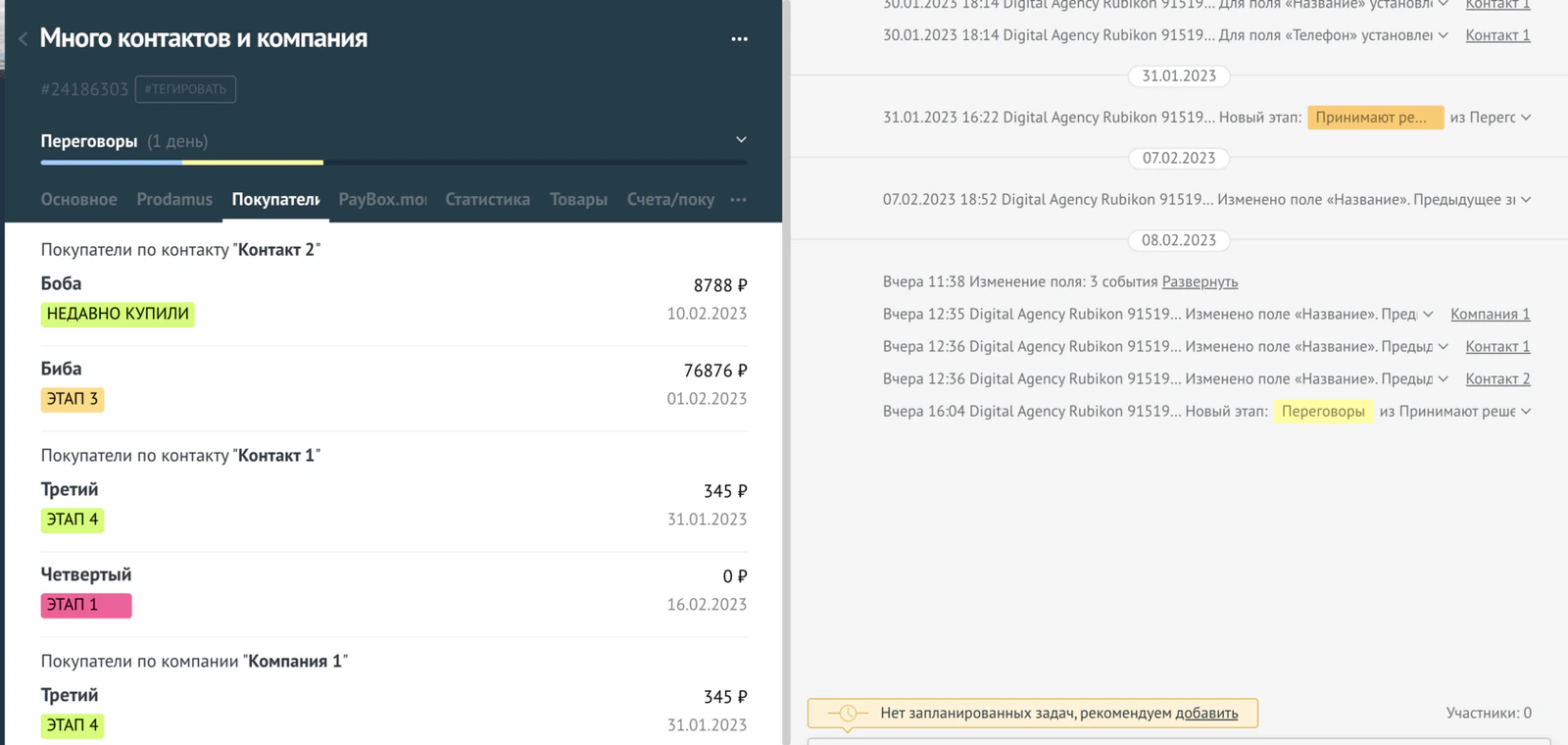
Customers in a deal — all customer information in one place
See all buyers, their statuses and purchases directly in the deal - without clicking through contacts and companies
Why salespeople waste time working with deals
To understand the client’s situation, you have to open contacts, companies and search for data manually - this slows down work and increases the risk of errors
There is no complete picture of the client
Data about purchases and customers is scattered across different cards

Lots of unnecessary transitions
Managers open dozens of tabs to collect information

The context of the deal is lost
It is difficult to quickly understand who bought, when and for what amount

How the widget works

The “Other Buyers” tab appears in the deal, where information on all related contacts and companies is collected
You see the status, date of the next purchase and amount - all key information is available immediately
Click on the buyer and go to his card to see details without unnecessary searching
Frequently asked questions
Everything about the widget: when to use it, how to configure it, and what are the nuances?
Where are buyers shown?
In a separate tab “Other buyers” inside the deal
What customer data is available?
Status, next purchase date and amount for each customer
Do I need to open contacts and companies?
No, all basic information is available directly in the deal
Is it possible to go to the buyer's card?
Yes, you can go to a contact or company in one click
Are all related buyers shown?
Yes, buyers of all linked contacts and companies are displayed
Is the data updated automatically?
Yes, information is updated when data changes in CRM
How is this useful for business?
You save managers time, analyze clients faster and increase sales efficiency