What are required fields in amoCRM?
Required fields are fields that the manager must fill out before moving the deal to the next stage. They help control data and eliminate errors in CRM operation.
What are the limitations of standard required fields in amoCRM?
In the standard version of amoCRM, required fields are strictly defined and automatically distributed to all subsequent stages. This does not allow flexible customization of logic for real business processes
How does the required fields widget work?
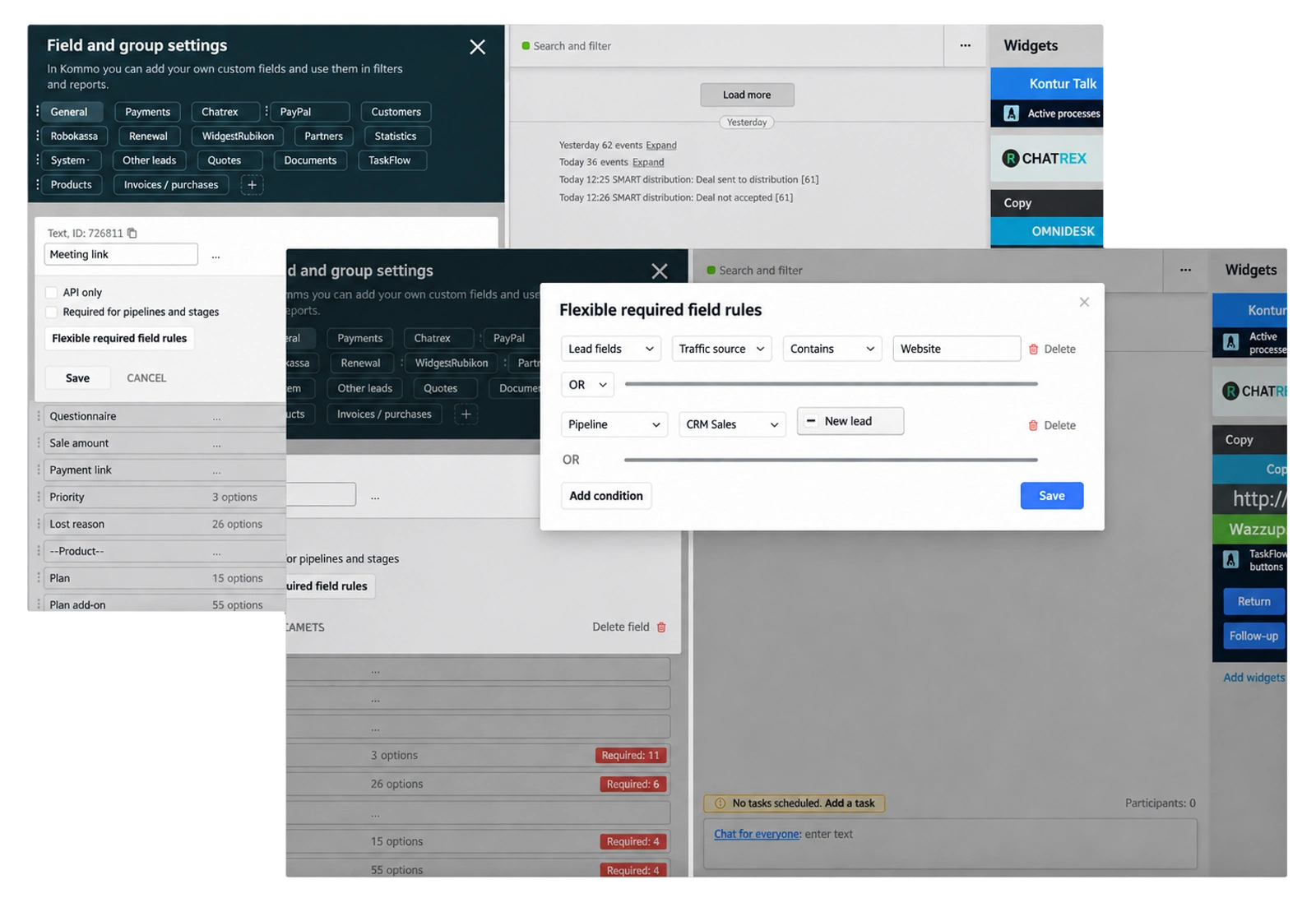
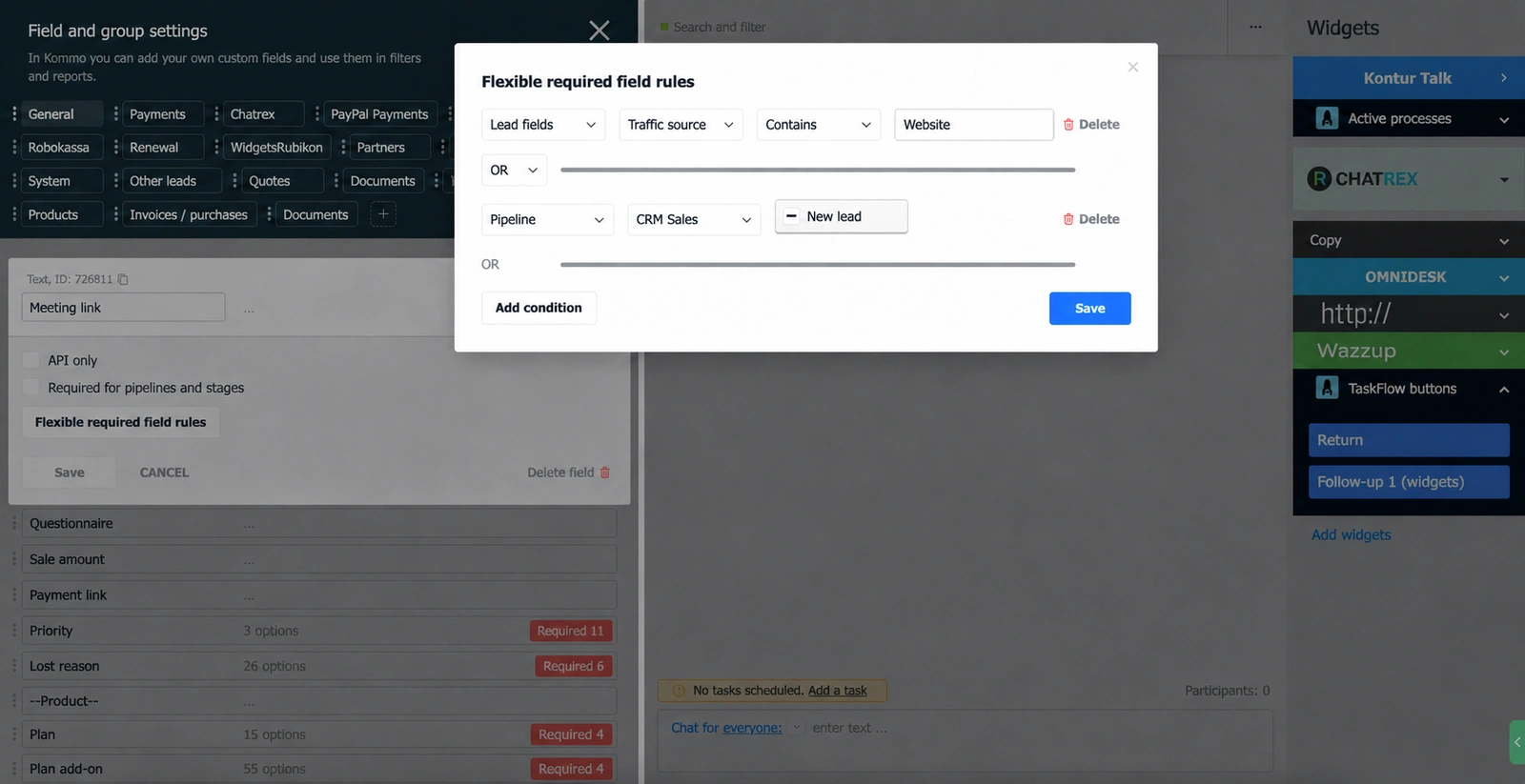
The widget allows you to configure required fields for any stages and pipelines without restrictions. You decide where and what fields should be filled in
Is it possible to set required fields only for a specific stage?
Yes, you can make a field mandatory only for a certain stage, without affecting the rest. This gives precise control over the process of working with deals.
Is it possible to customize required fields by condition?
Yes, the widget allows you to set mandatory requirements not only by stages, but also by conditions. For example, if a certain value is selected in one field, another field becomes required
Are complex conditions (AND/OR) supported?
Yes, you can configure flexible logic using AND and OR conditions. This allows you to create complex scenarios and completely adapt CRM to your business
How is this better than standard required fields in amoCRM?
In standard amoCRM, required fields work only in stages and without flexible logic. The widget allows you to take into account the values of other fields and set up complex rules, as in a full-fledged automation system
How does the widget help control managers?
Managers will not be able to move the deal forward without filling in the required data. This eliminates omissions, increases discipline and makes CRM manageable
Is it difficult to customize the widget?
Setup takes a few minutes and requires no technical skills. You can flexibly manage logic directly in the CRM interface