RU

Track time at each deal stage in amoCRM

Don't understand how long the deal has been pending? Track time and control the work of managers at every step

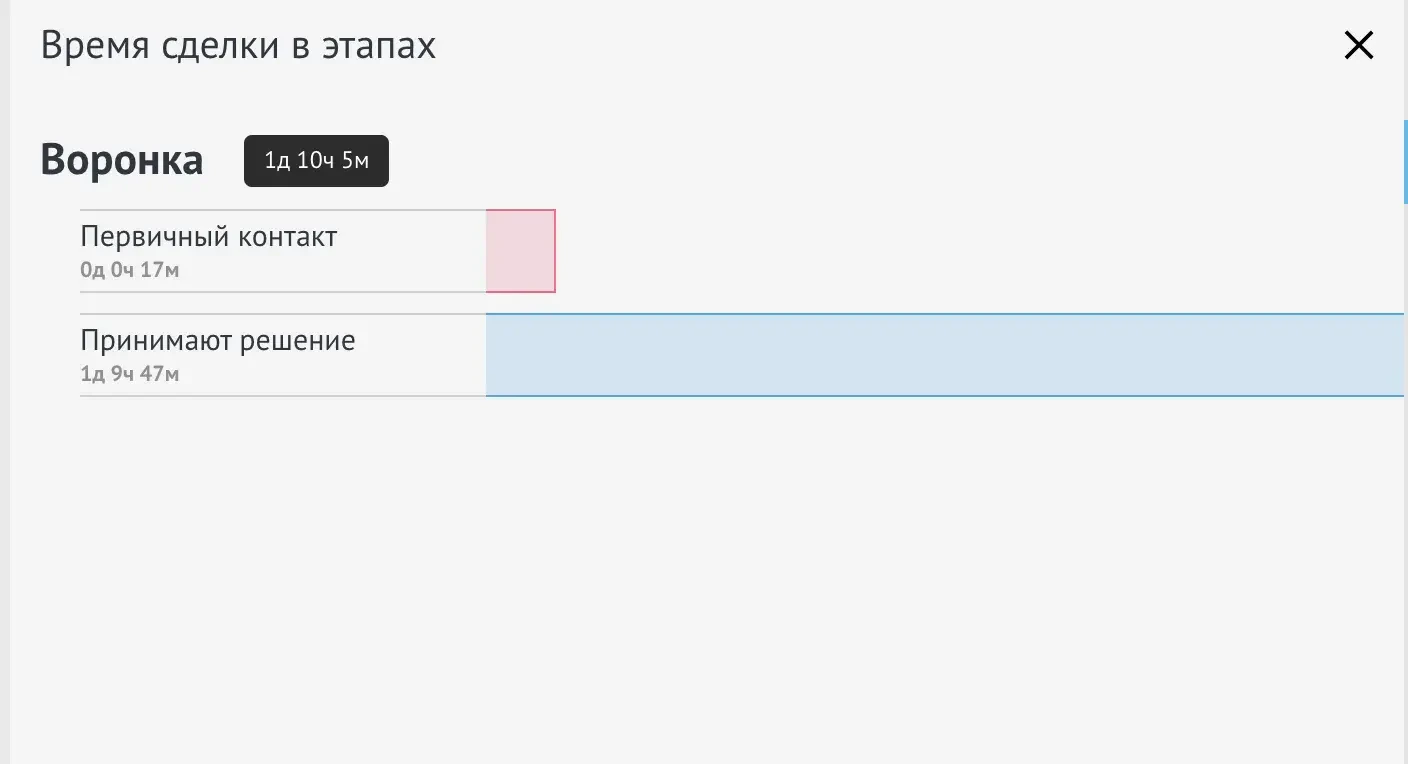
Solution interface in amoCRM

Where your business loses control of deals

Without time control, deals get stuck at stages, managers drag out processes, and you don’t understand where clients and money are being lost

deals freeze without movement

Clients “hang” on the stages, but no one notices how long they are there

No control over managers' work

It is impossible to understand who is slowing down the process and where delays occur in the pipeline

Loss of customers and revenue

Due to protracted transactions, conversion rates decrease, and some customers simply “cool down” and leave

How the widget works

Time tracking across stages

The widget records how long the deal has been at each stage - accurate to days, hours and minutes

Transparency of transaction movement

You see how the deal moves through the pipeline and where delays occur. Understand at what stages deals get stuck and where time is wasted

Uploading reports to Excel

Generate reports on the time transactions spent in stages with filters and analyze the data in a convenient format

Pricing plans

Loading current plans…

Loading prices from services.myrubikon.tech

Frequently asked questions

Everything about the widget: when to use it, how to configure it, and what are the nuances?

What does the widget show?

The widget displays how long the deal spent at each stage of the pipeline - in days, hours and minutes

Where can I see the time of a trade?

Information is available directly in the deal card - you see the history of its movement and the time at each stage

Is it possible to understand where deals are being delayed?

Yes, you can immediately see the stages where deals spend the longest and can quickly identify problem areas

Are there reports on the timing of transactions?

Yes, you can generate a report on the time spent by deals in stages and upload it to Excel

Can I use filters in reports?

Yes, reports support filters - you can analyze data according to the necessary conditions

Is the widget suitable for any pipelines?

Yes, the widget works with any pipelines in amoCRM

Does the widget affect the operation of transactions?

No, it only records and displays data - the logic of CRM operation does not change

How does this help business?

You begin to see real deal deadlines, find delays and optimize the sales process

Is it difficult to customize the widget?

Setup takes minimal time and does not require technical skills. All parameters are set directly in the amoCRM interface

Send an enquiry — we will carry out a free audit and show you which package suits your business